Case study 04 · Concept feature · Built and tested
You asked for a referral. Now you can see where it stands.
Role
Product designer, research to working prototype
Product
LinkedIn, iOS and web
Context
Self-directed concept, 2026
Tools
Claude Code, React, Tailwind, Mobbin
Research
6 interviews: 3 referrers, 3 job seekers
Testing
4 unmoderated sessions
A concept project, not made or approved by LinkedIn. I copied its look so the idea
can be judged inside the product.
In 30 seconds
The problem: After asking for a referral in a LinkedIn message, the person asking can't tell if it was seen, is being worked on, or was forgotten.
What I learned: Referral requests sent through LinkedIn messages can leave the requester uncertain about what happens next. A job seeker described the constant waiting as the worst part.
The idea: Give each referral request a status both people can see. The referrer picks from three ready answers. After seven days with no answer, an assumed wait, the system says there is no reply yet.
What I can claim: A working prototype that four testers finished without help. It is a concept, so there is no launch data.
Or watch it. The idea in one minute, in my own voice.
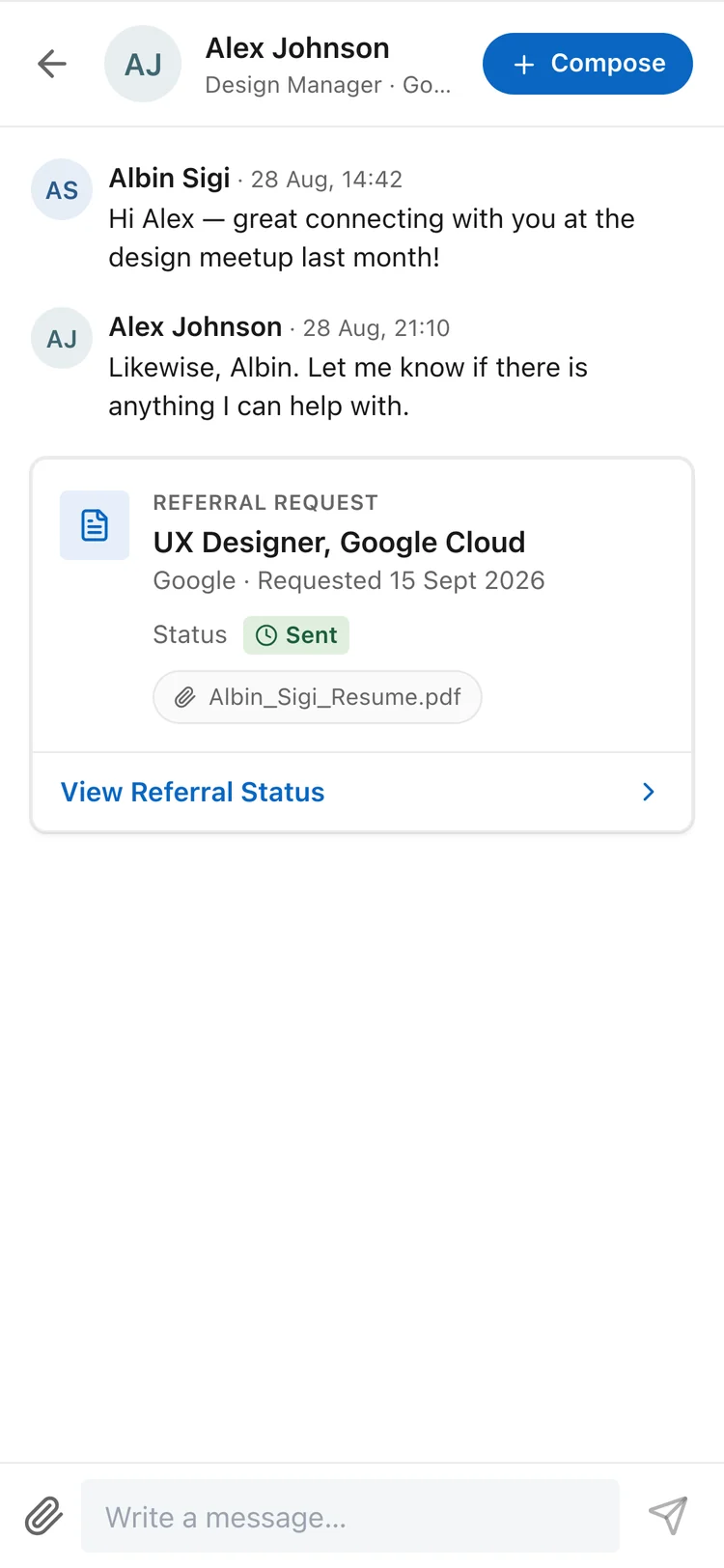
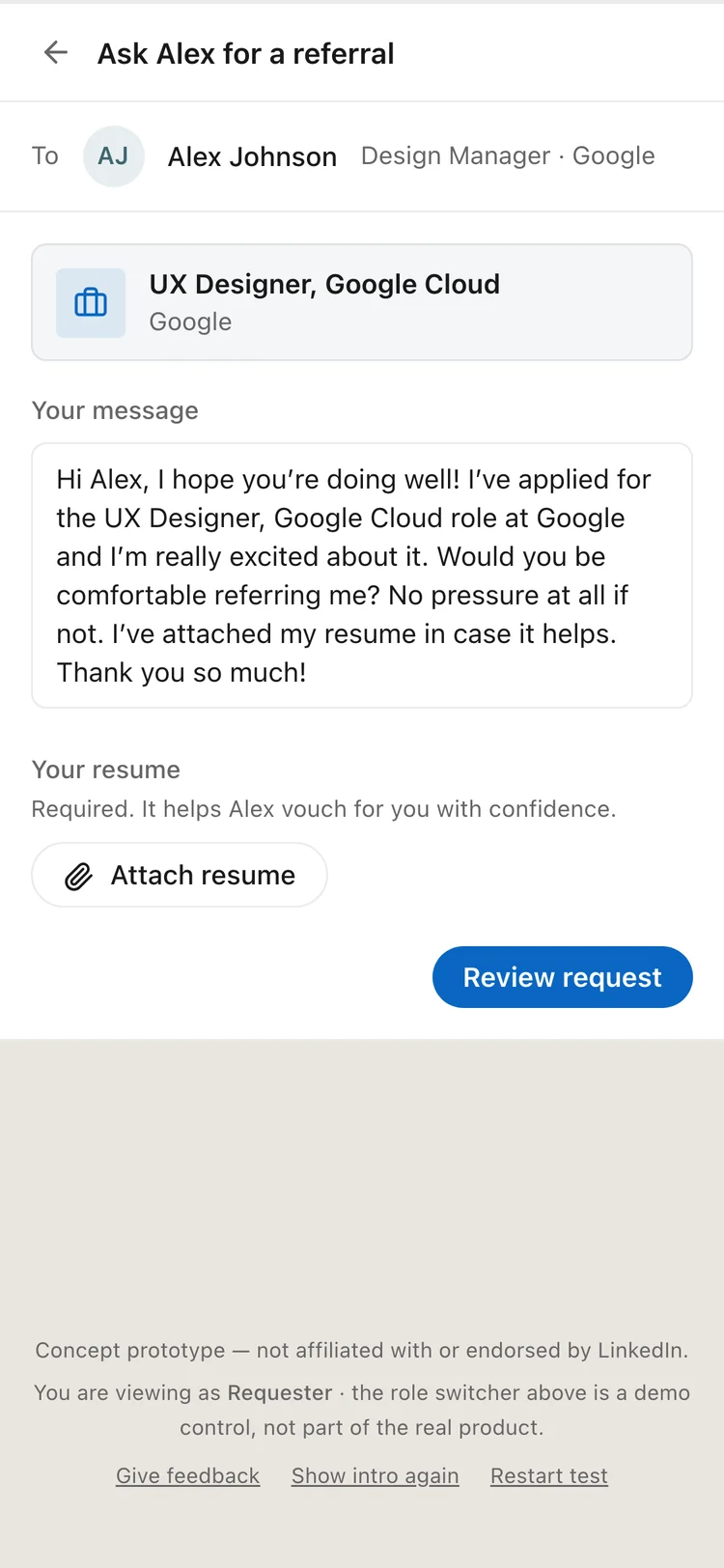
The ask. A card in the chat, with a status.
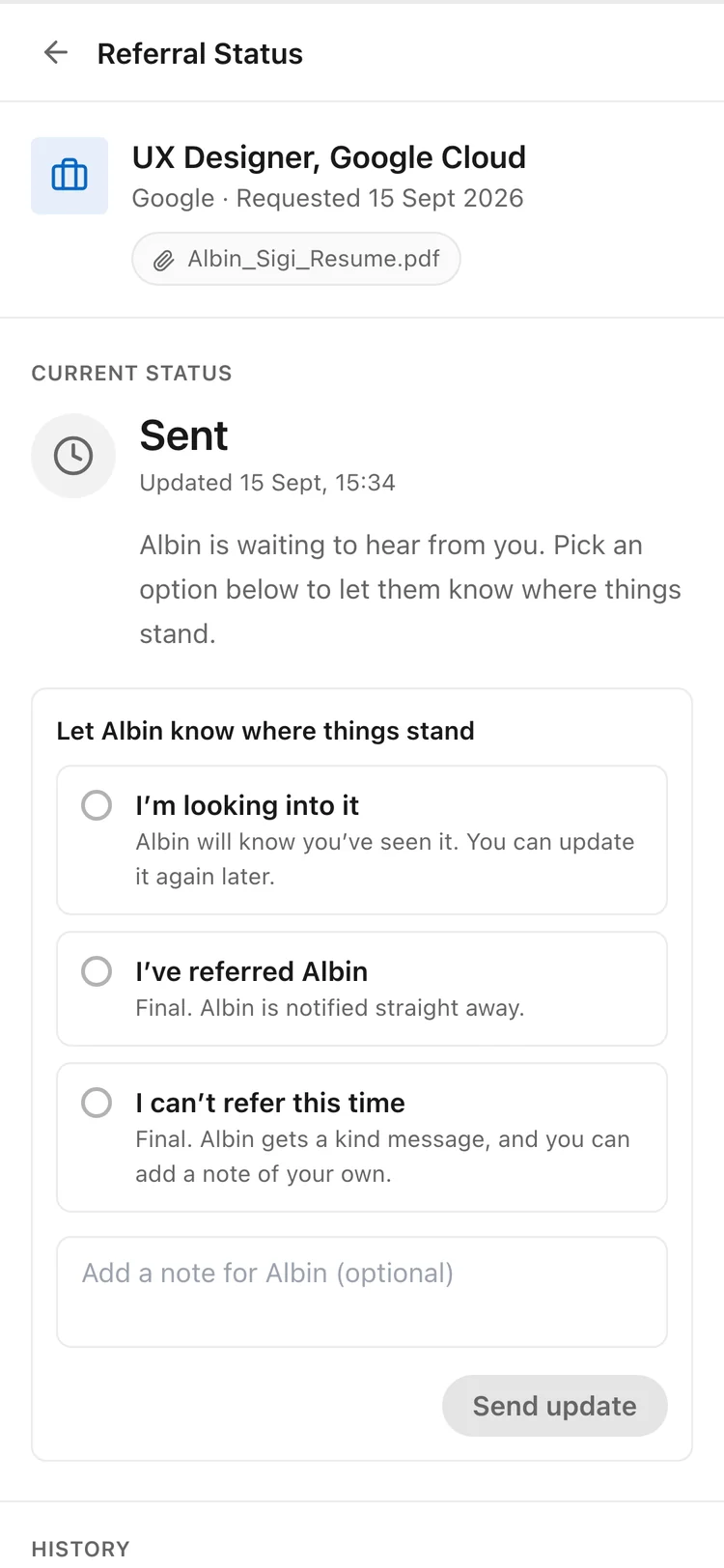
The answer. Three ready choices.
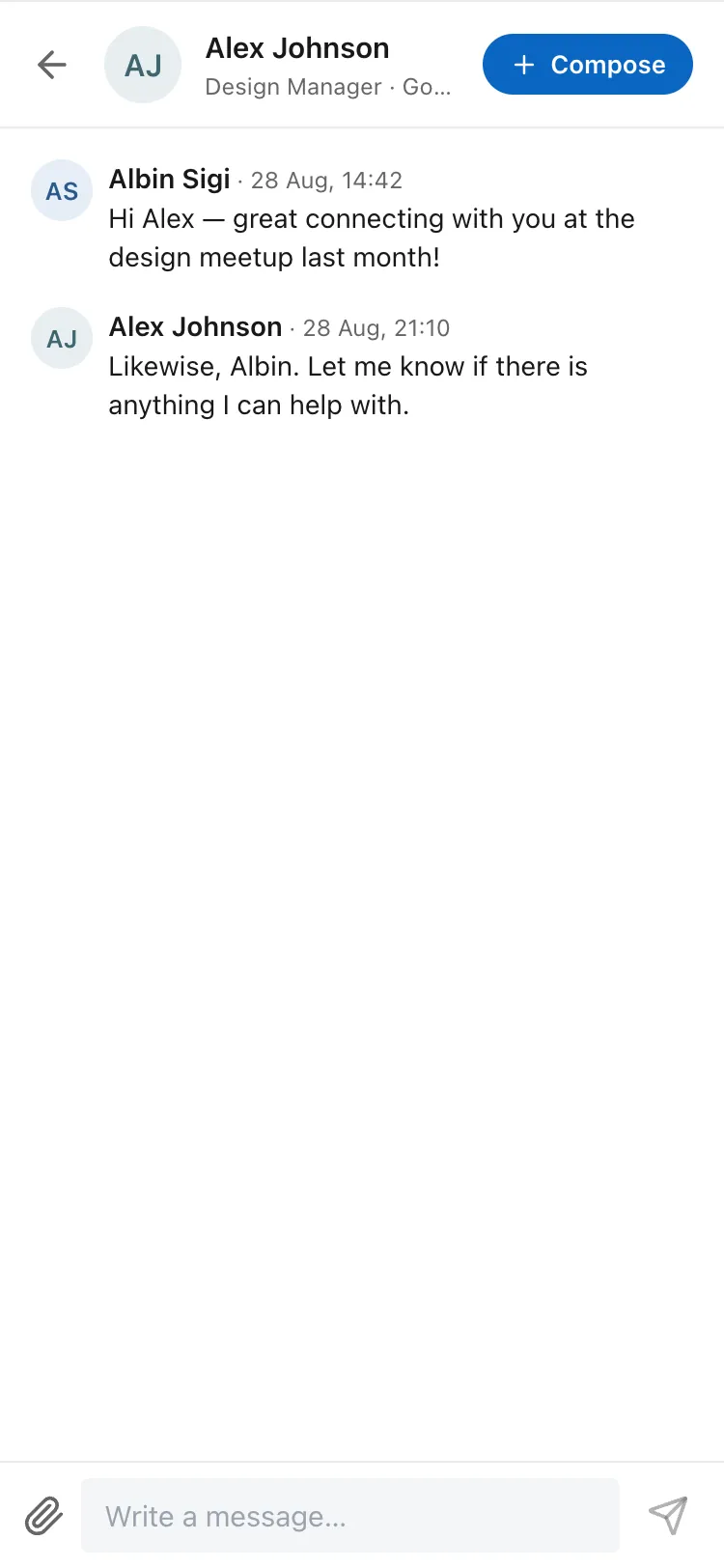
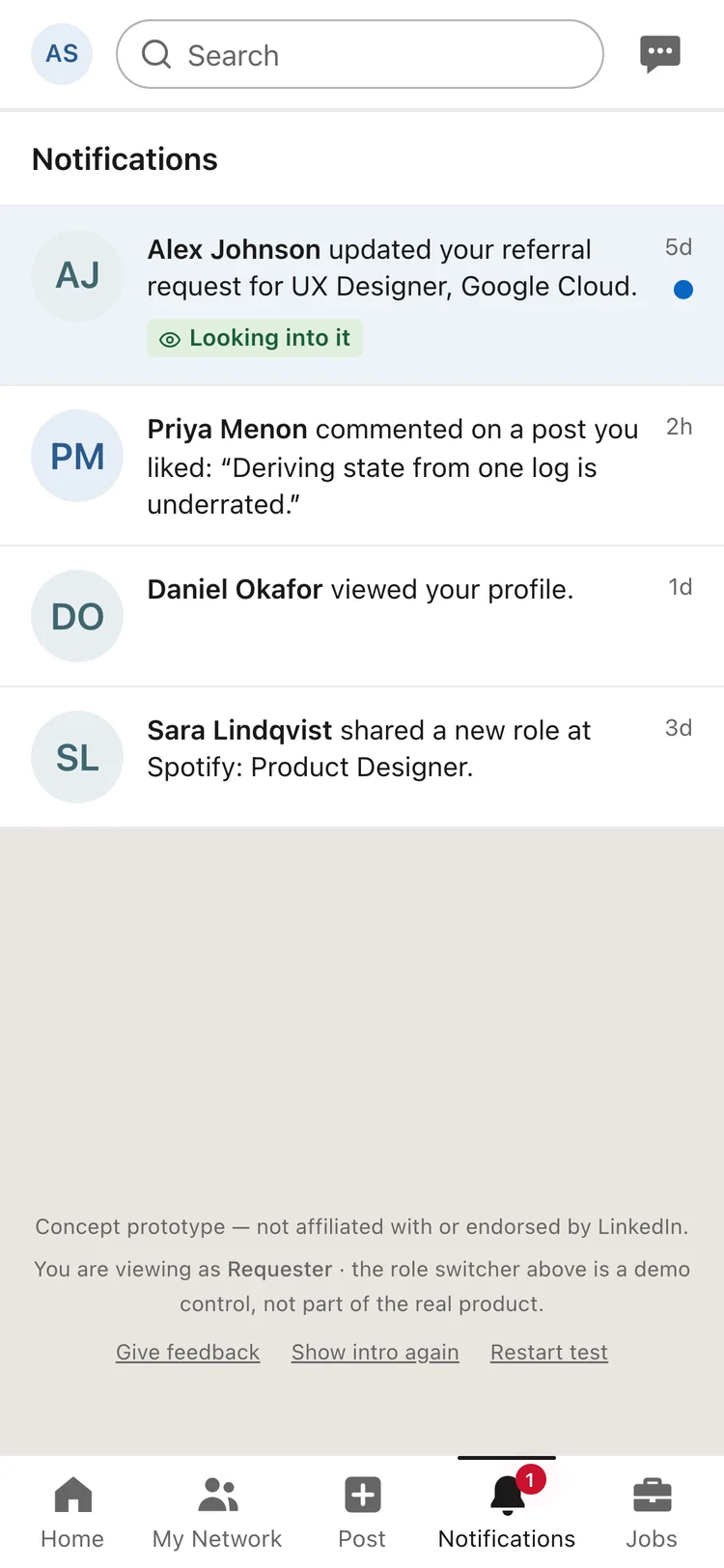
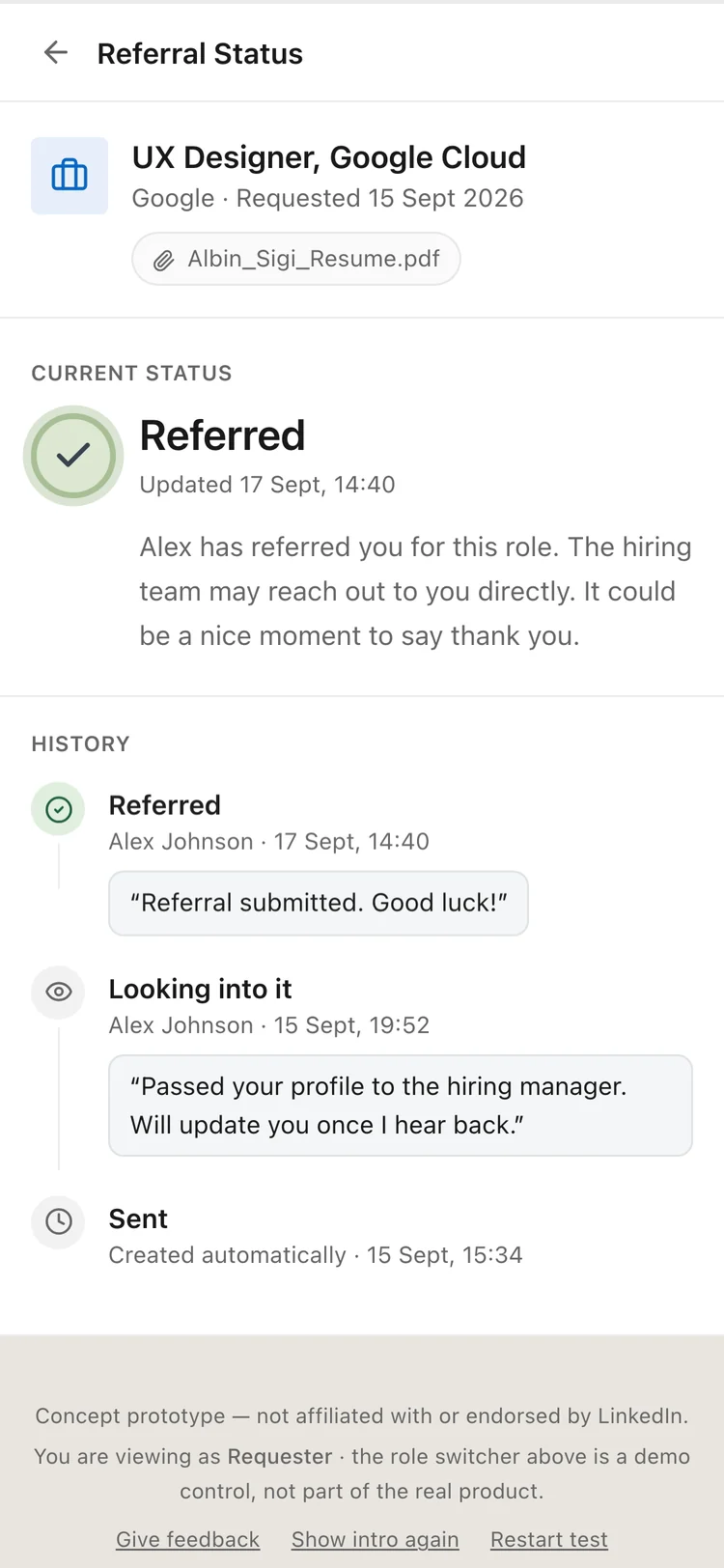
The result. Both people see it change.
Problem Identification (what's broken and why)
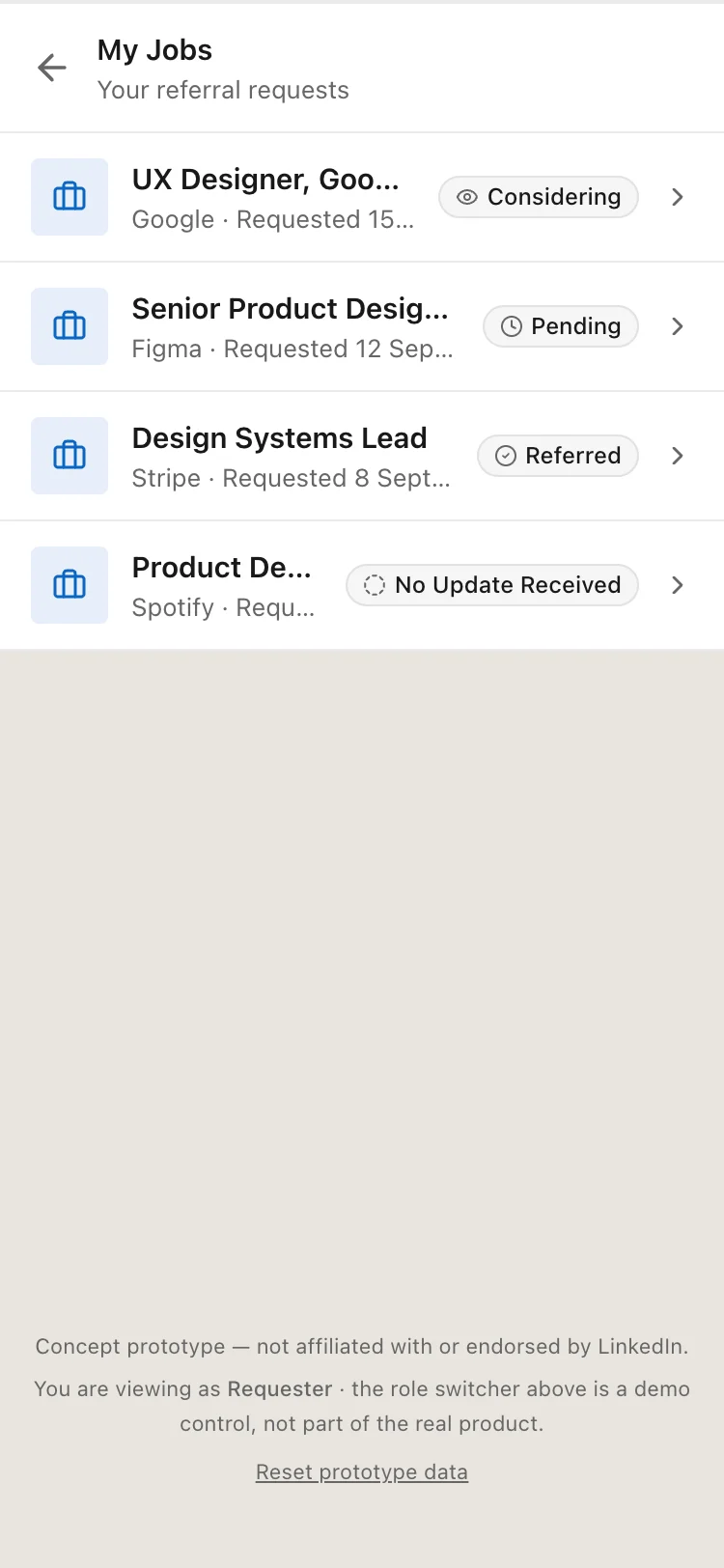
On LinkedIn, asking for a referral often means sending a message and waiting. You can't tell whether the person has seen your request, is working on it, or has forgotten it.
Following up can feel awkward for the person asking, and saying no can feel uncomfortable for the person asked. I explored whether a shared status could make the process clearer for both.
Research & Competitive Benchmarking
I interviewed six people: three who had asked for referrals and three who had been asked. I also studied LinkedIn's own Job tracker on Mobbin.
What people told me
How I read it
What I designed
Referrer, on the company's hiring portal: "I can see that you are applying, in progress, rejected, or position closed." On the candidate: "I think they can't see it."
In this case the information existed, but only on the referrer's side.
The referrer sets a status that both people see.
Job seeker. Said the worst part was the constant waiting.
Waiting without knowing is the pain, more than the asking.
A status that says where things stand, so silence is not the only signal.
Referrer: "Even if I miss, they will reach out to me again." The referrer's delays came from shift hours and a work-only laptop.
A referrer can forget for ordinary reasons, and the follow-up is what brings it back.
The status sits in front of both people. No nudge button, which has a cost.
Referrer, on strangers who are not a fit: "I don't respond to some people." The referrer called it "an uncomfortable situation".
There is no small way to say no, so silence becomes the no.
A ready-made no, with no message to write.
Two job seekers disagreed. One found asking awkward, mostly outside close friends. Another said it is not awkward.
Awkwardness is real for some people, not for all.
The design does not depend on it. It targets the waiting.
Quotes come from auto-transcripts, lightly cleaned, and some were translated from Malayalam. Names are left out. The middle column is my reading and the last is my bet.
Why I Chose This Product
Referrals already happen inside LinkedIn, as plain messages, so a fix needs no new place to go.
Referrals are part of professional networking, which is what LinkedIn is for. A status makes a request easier to track, and better visibility could make these exchanges more predictable for both people. Whether that creates measurable value for LinkedIn is untested. It is a possible benefit, not a result.
Design Goals & Constraints
Make referral requests easier to track, cut unnecessary follow-ups, and give both people a clearer sense of where things stand.
The status does the reminding, not a button.
It lives where the ask already happens.
Saying no needs no writing.
Limit: LinkedIn can't see inside a company's hiring, so the referrer sets the status.
Key Design Changes & Rationale
Five decisions, each with what it costs.
Decision
Why
What it costs
No nudge button
A visible status should answer the question a follow-up asks. A button would make chasing easier, not unnecessary.
In one interview, the follow-up was what reminded the referrer. Without it a forgetful referrer gets no push. Whether one light reminder helps is still open.
The referrer sets the status
LinkedIn can't see inside a company's hiring.
The status is self-reported. It is only as good as the referrer's last tap.
The system sets No reply yet
Silence should not look like progress. After seven days at Sent with no answer, the request says so, stays open, and any later answer replaces it.
It can read as a judgement of the referrer. The wording and the seven-day wait are untested.
Looking into it is its own status
It separates seen and being worked on from never opened, which a message can't do.
It could give false hope if it never moves. It keeps its last-updated date on screen, but I have no data on whether that is enough.
A ready-made no, shown in grey
There was no small way to say not this time. LinkedIn never uses red, so grey means closed.
The no can arrive with no reason, unless the referrer adds the optional note.
Sent means sent. Nothing says Sent until it is really saved.
Only real news moves. Just Referred gets its own moment.
The ask is written for you. Strangers get checked on their resume, so one is required.
Final Prototype & Key Screens
A working prototype with two roles: Albin asks and follows, Alex answers. It runs in the browser on sample data. Everything shown works except No reply yet: there is no timer, so I set that state by hand for its screens.
Status
Who sets it
What it means
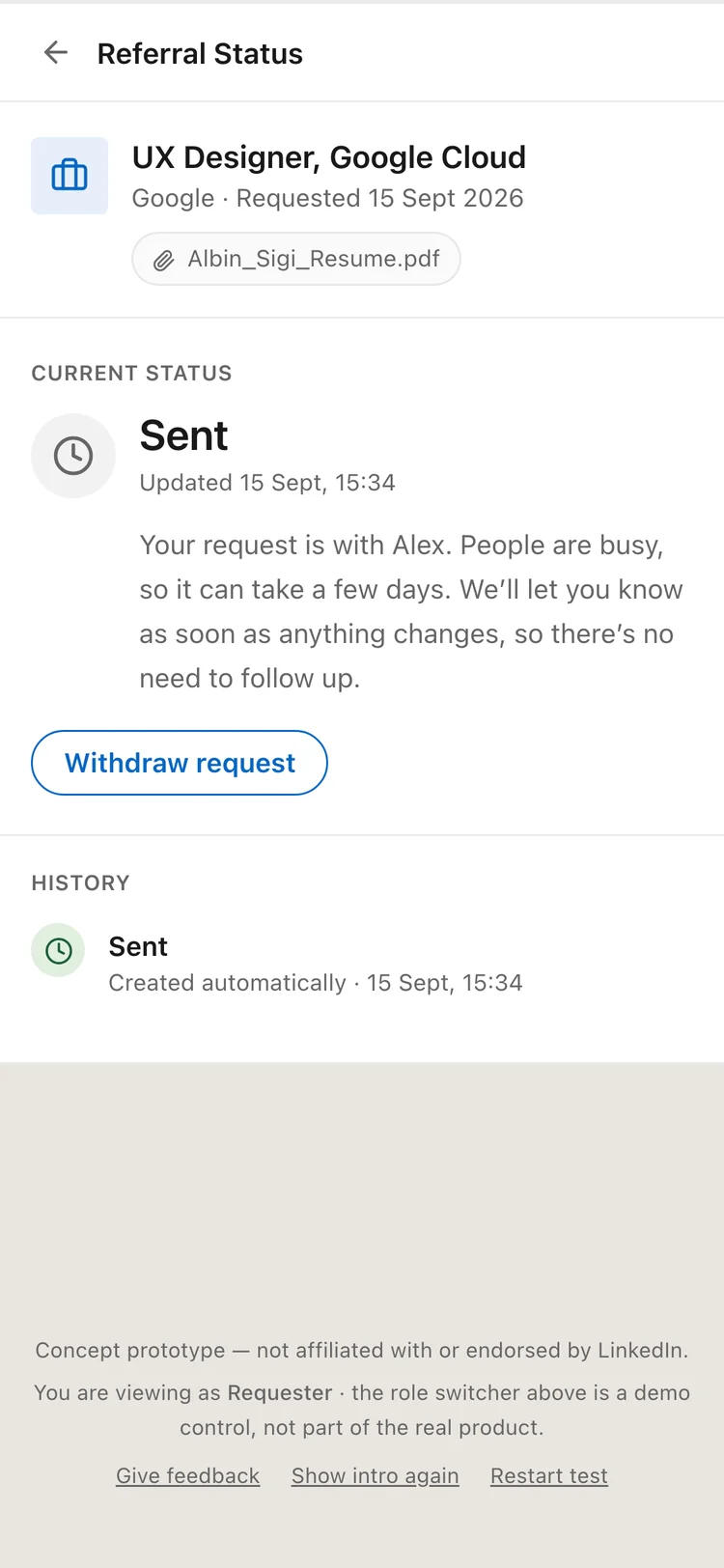
Sent
The system, once the request is saved
Waiting on the referrer.
Looking into it
The referrer
Seen and being worked on. Still open.
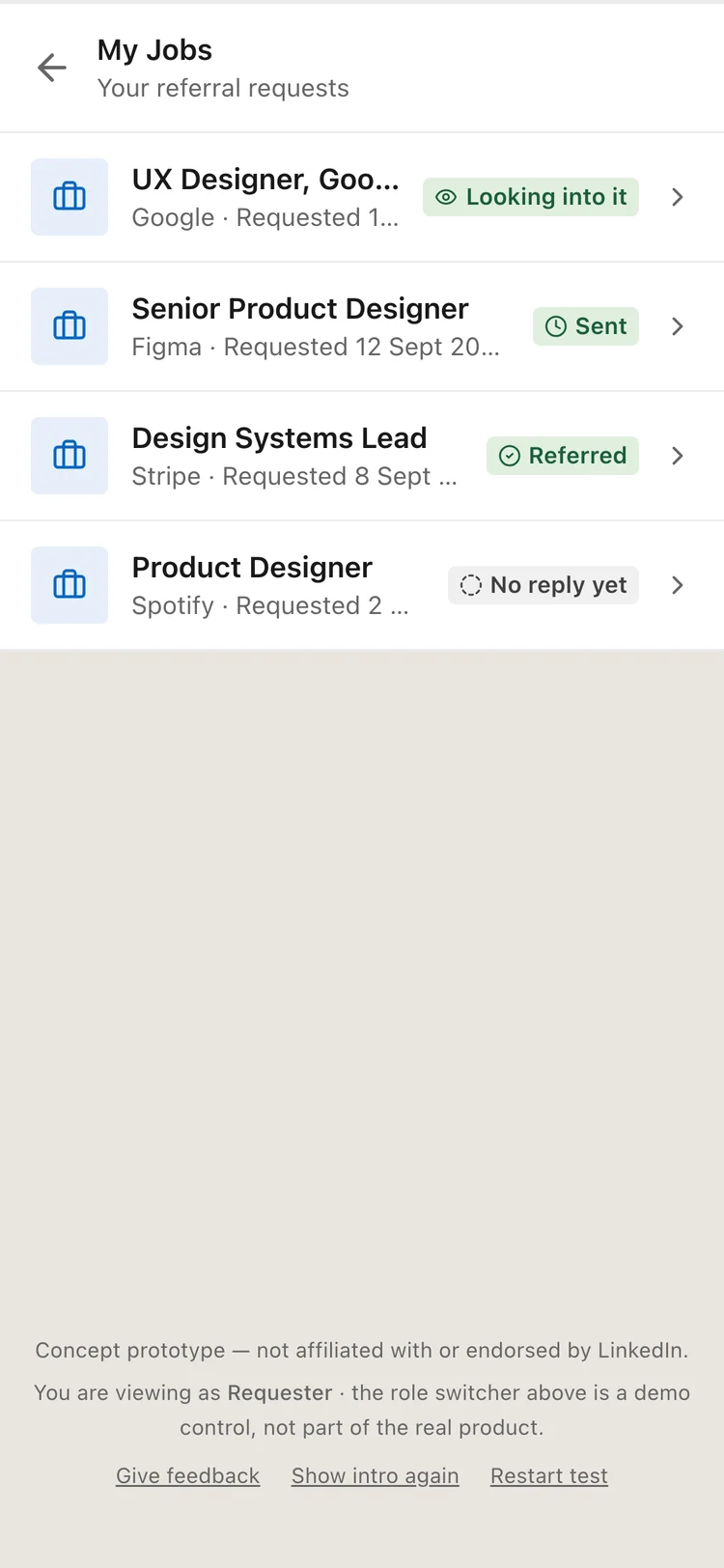
No reply yet
The system only
Seven days at Sent with no answer. Still open.
Referred
The referrer
Done. The referral was made.
Can't refer
The referrer
Done. Not this time.
Withdrawn
The requester
The requester no longer needs it.
No reply yet
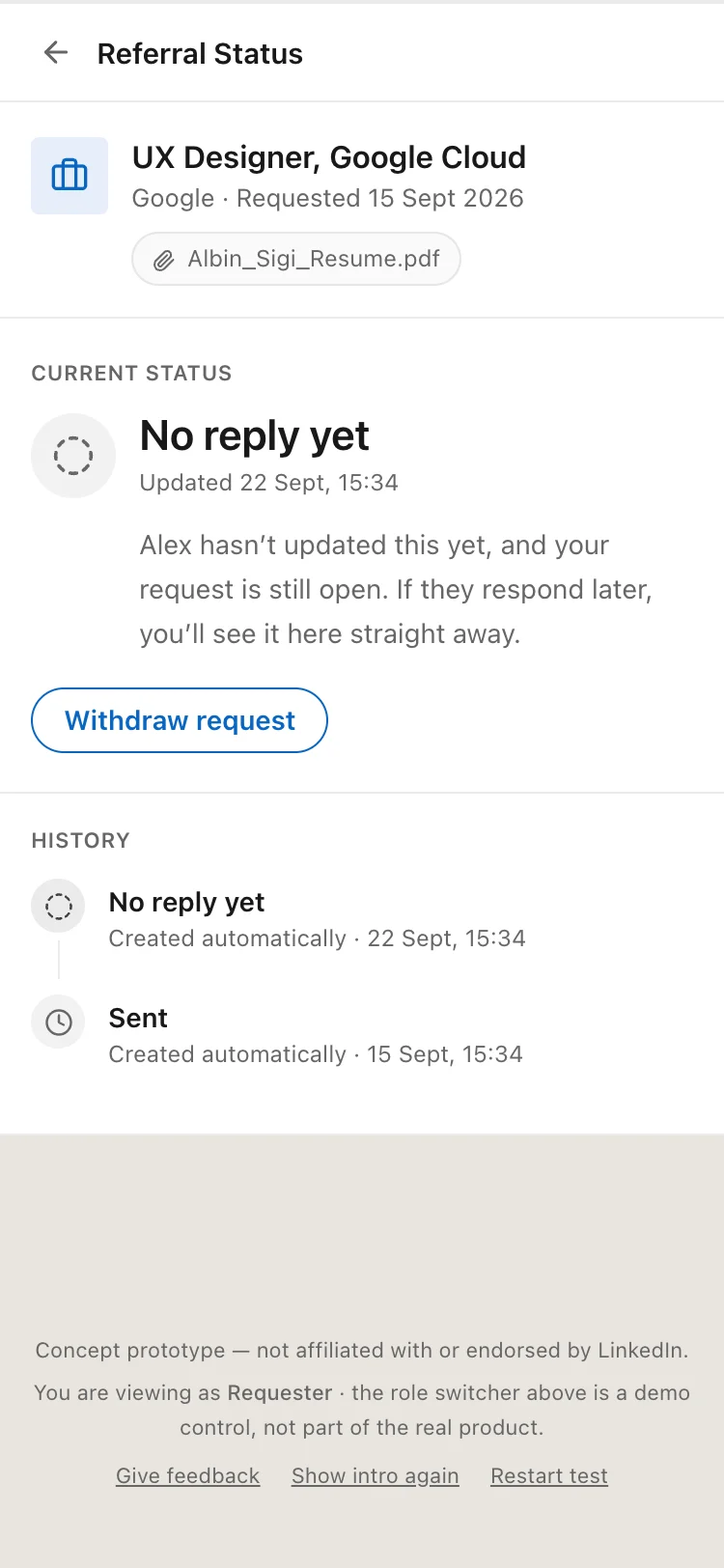
How it works. A design assumption, not a tested rule.
When
Seven days at Sent with no answer from the referrer. The Sent screen already says a reply can take a few days, and a week covers one full working week.
What happens
The status changes to No reply yet, and nothing closes.
No notification
Nothing is sent to the referrer. This is also an assumption. It keeps pressure off them, but a referrer who simply forgot gets no reminder.
A later reply
Still counts. Any answer from the referrer replaces No reply yet straight away.
After Looking into it
It does not apply. The referrer did reply, so the status stays and shows when it was last updated.
Tone
It says yet, it is grey and not red, and the screen says the request is still open. It reports quiet, not a reason.
Ask from a chat.
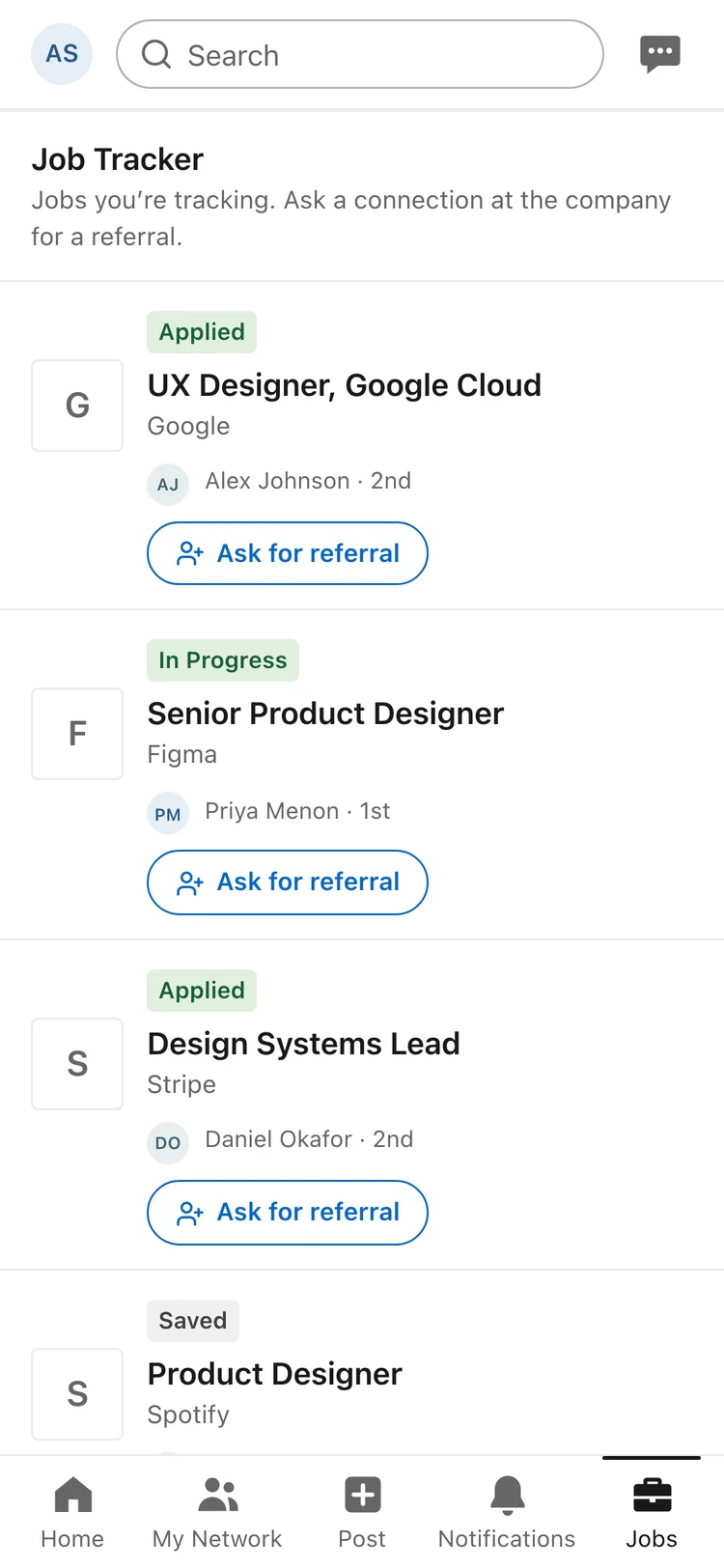
Ask from a job.
The ask, drafted.
Sending.
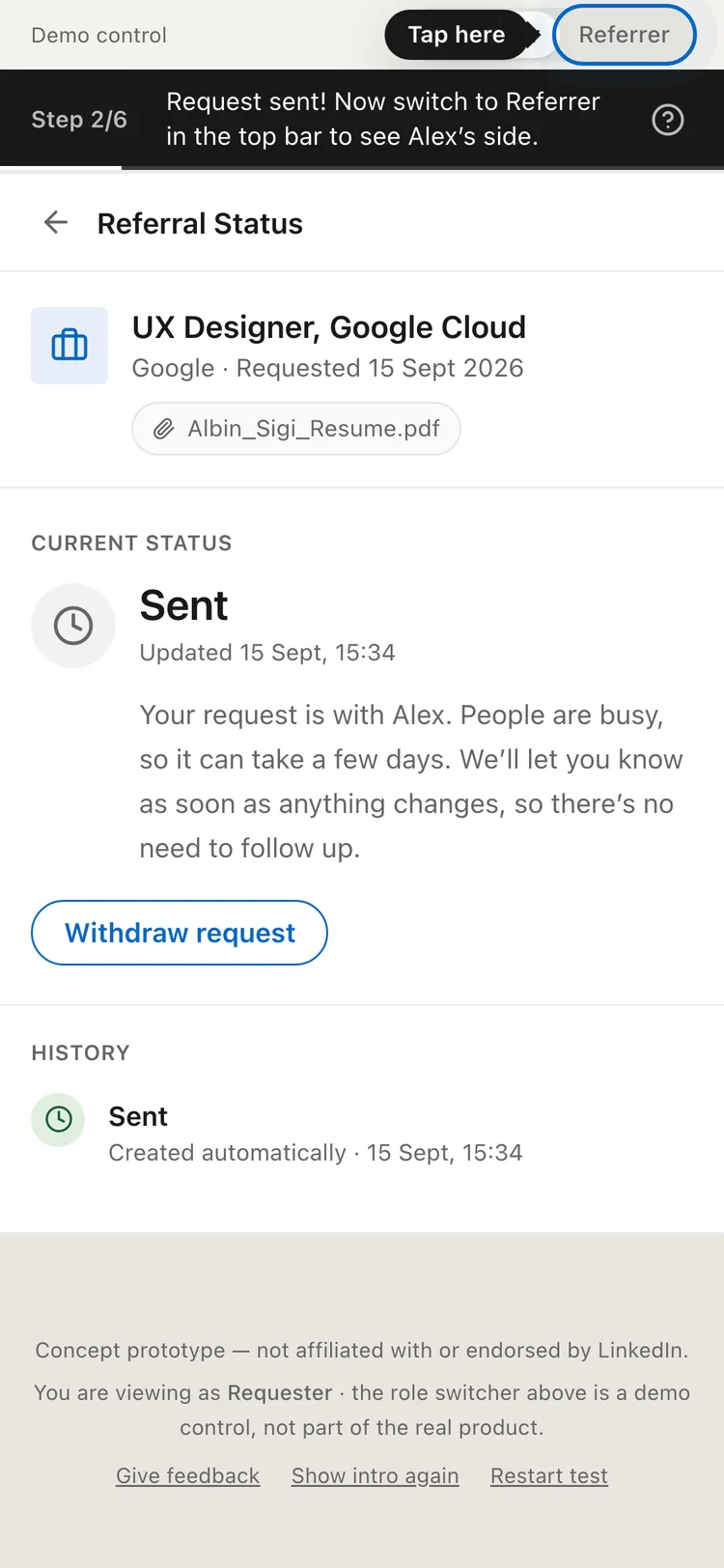
Sent.
The update arrives.
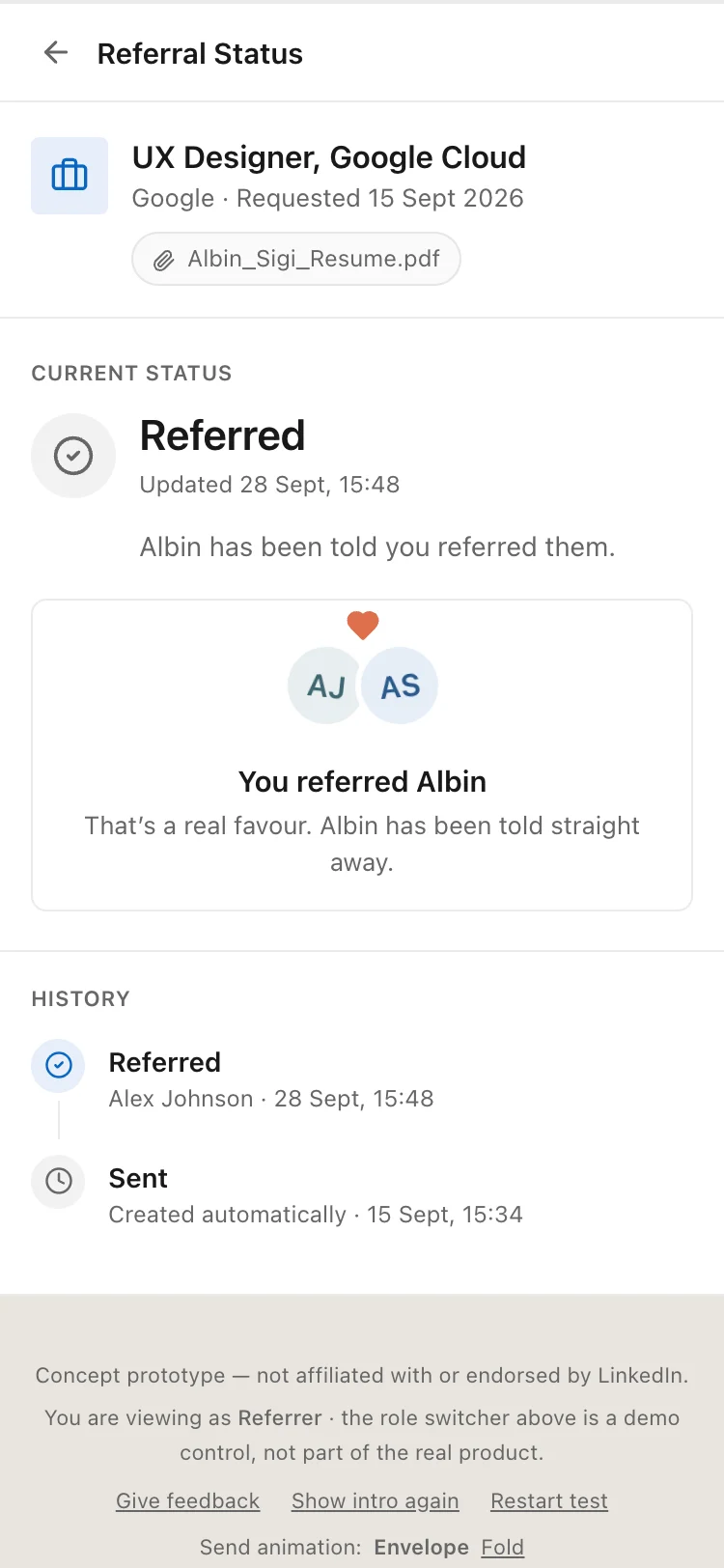
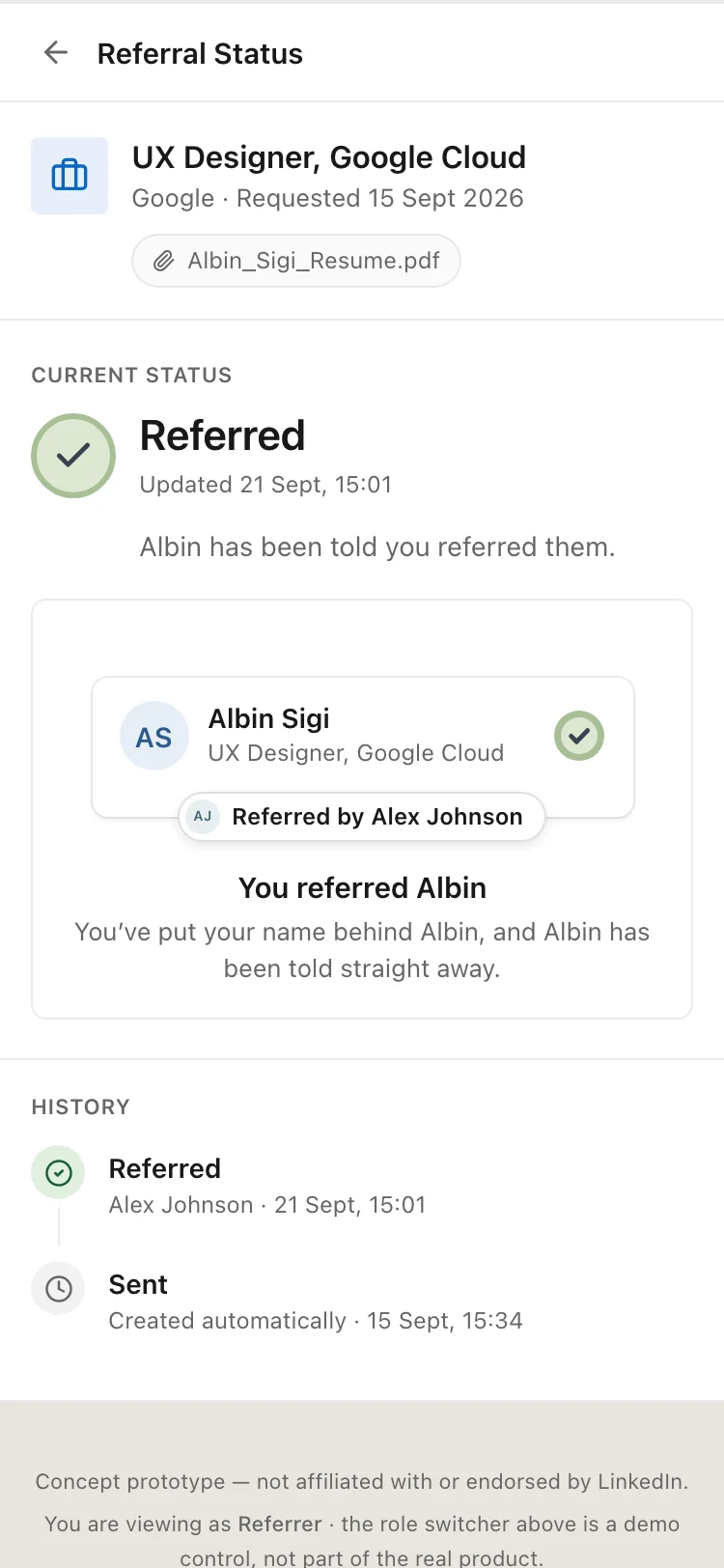
Referred.
The full history.
Every ask, one list. The No reply yet row is staged.
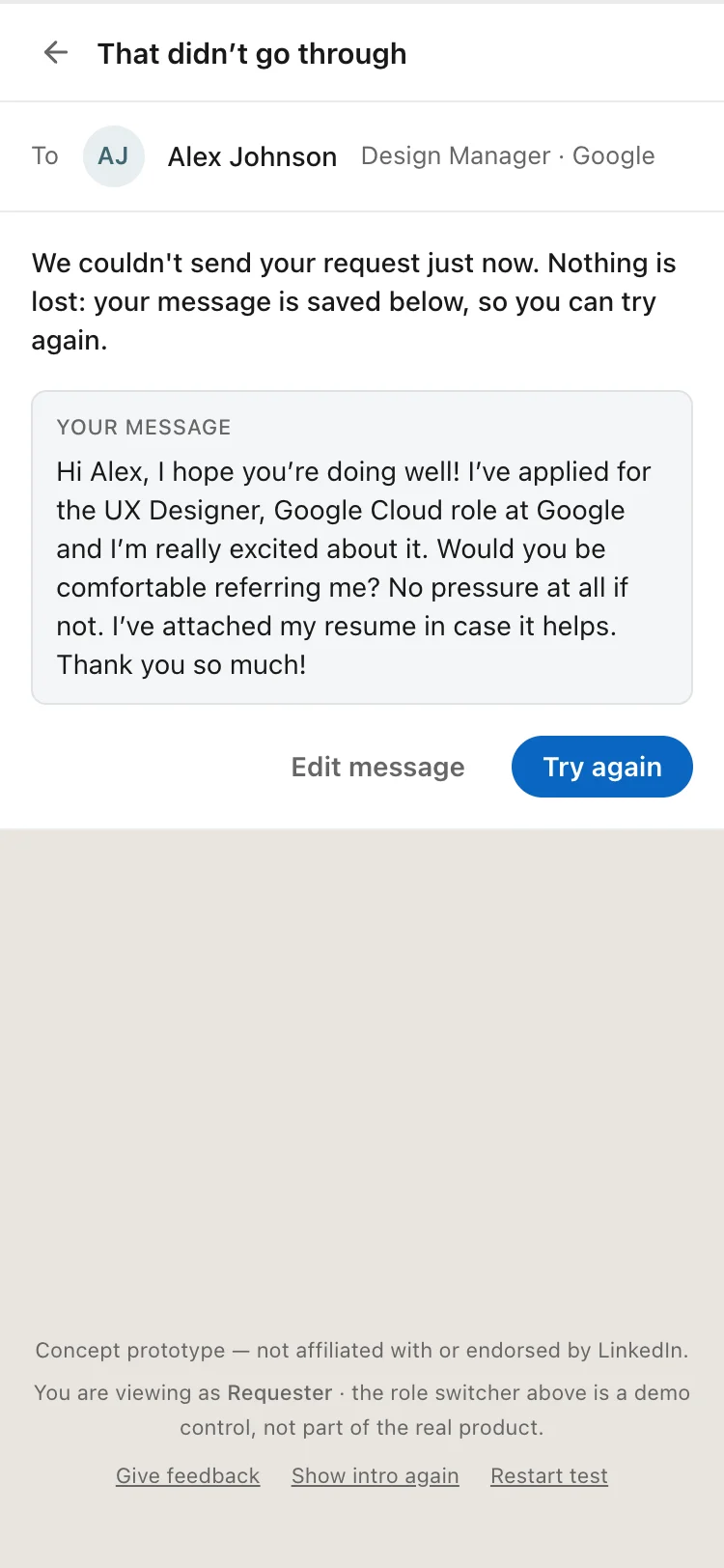
If saving fails.
No reply yet. Staged.
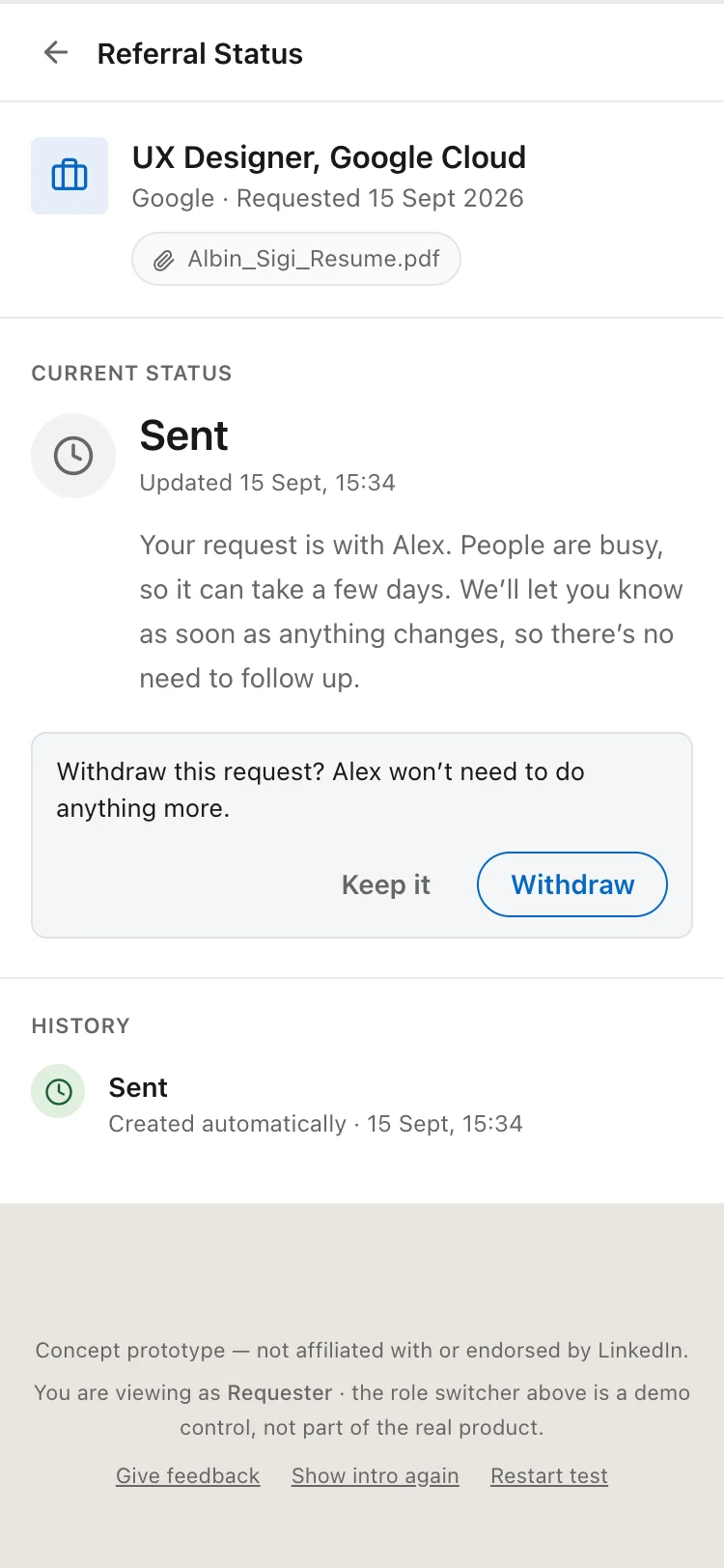
Withdraw, asked once.
Before vs. After
Three things changed after I built it and used it.
Before. Labels from the data model.
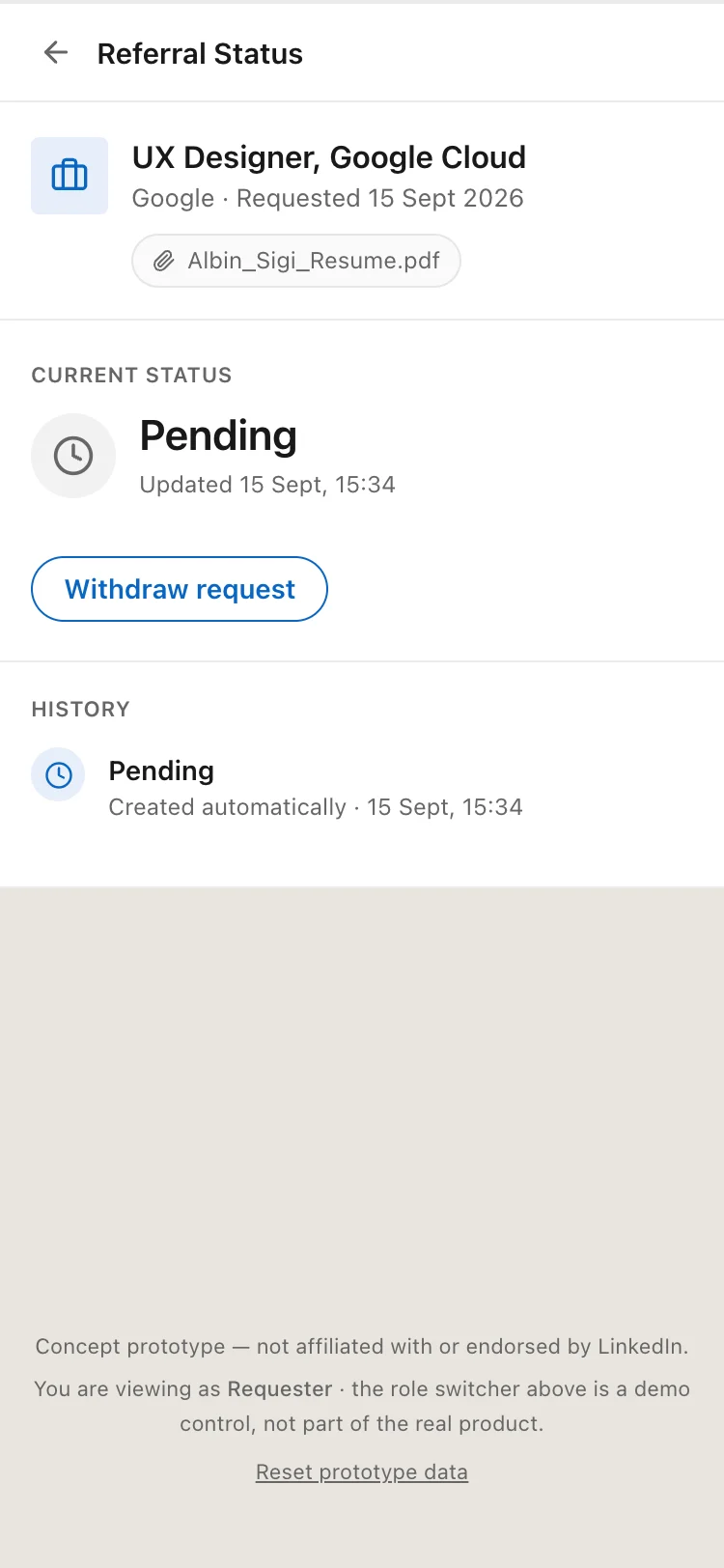
Before. Pending, nothing else.
Before. A hug and a heart.
After. Plain words.
After. Says what it means.
After. A vouch.
Usability Testing (Iteration)
Four people ran the prototype start to finish on their own phones, with nobody guiding them. All four finished without help and said they would use it.
That shows the flow can be understood and completed. It does not show that real referrers would update a status, because each tester played both sides.
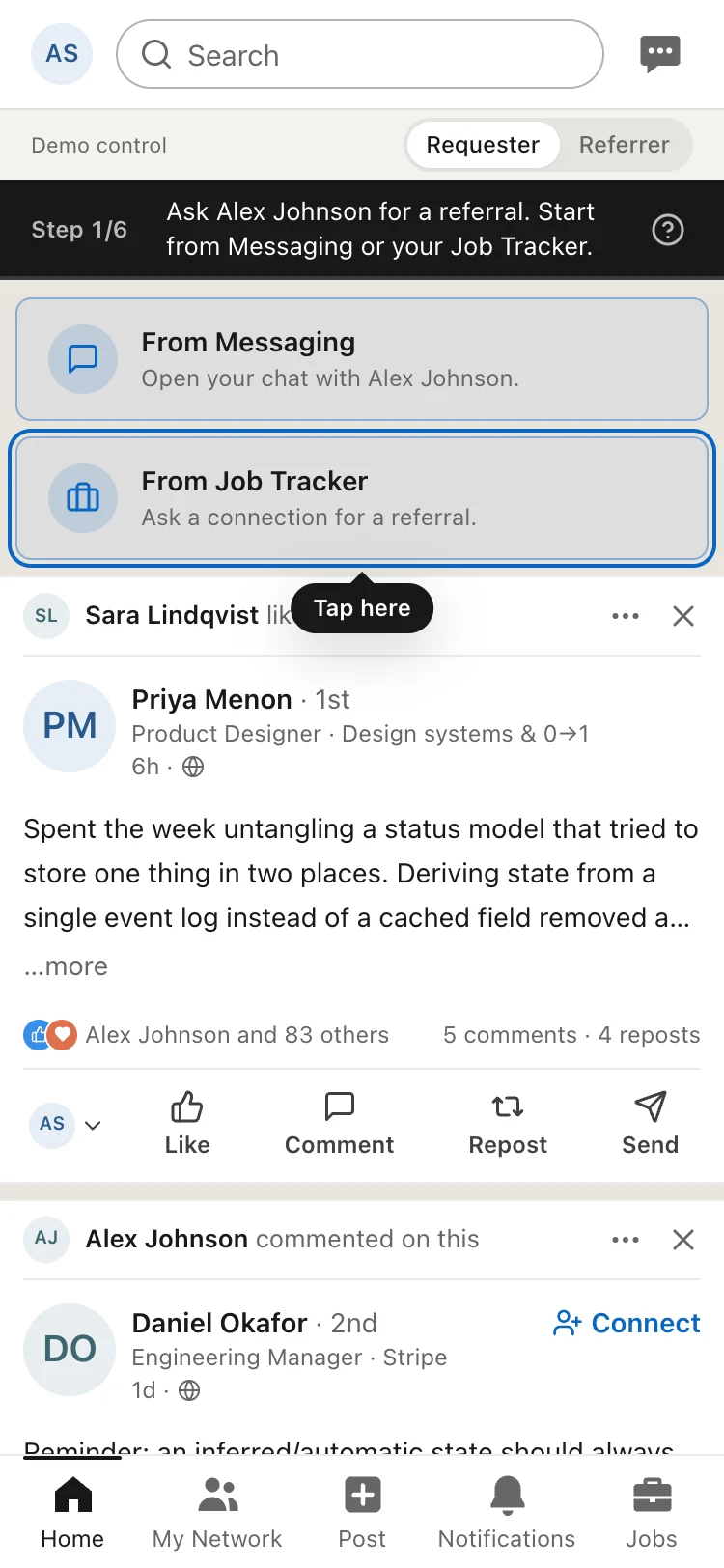
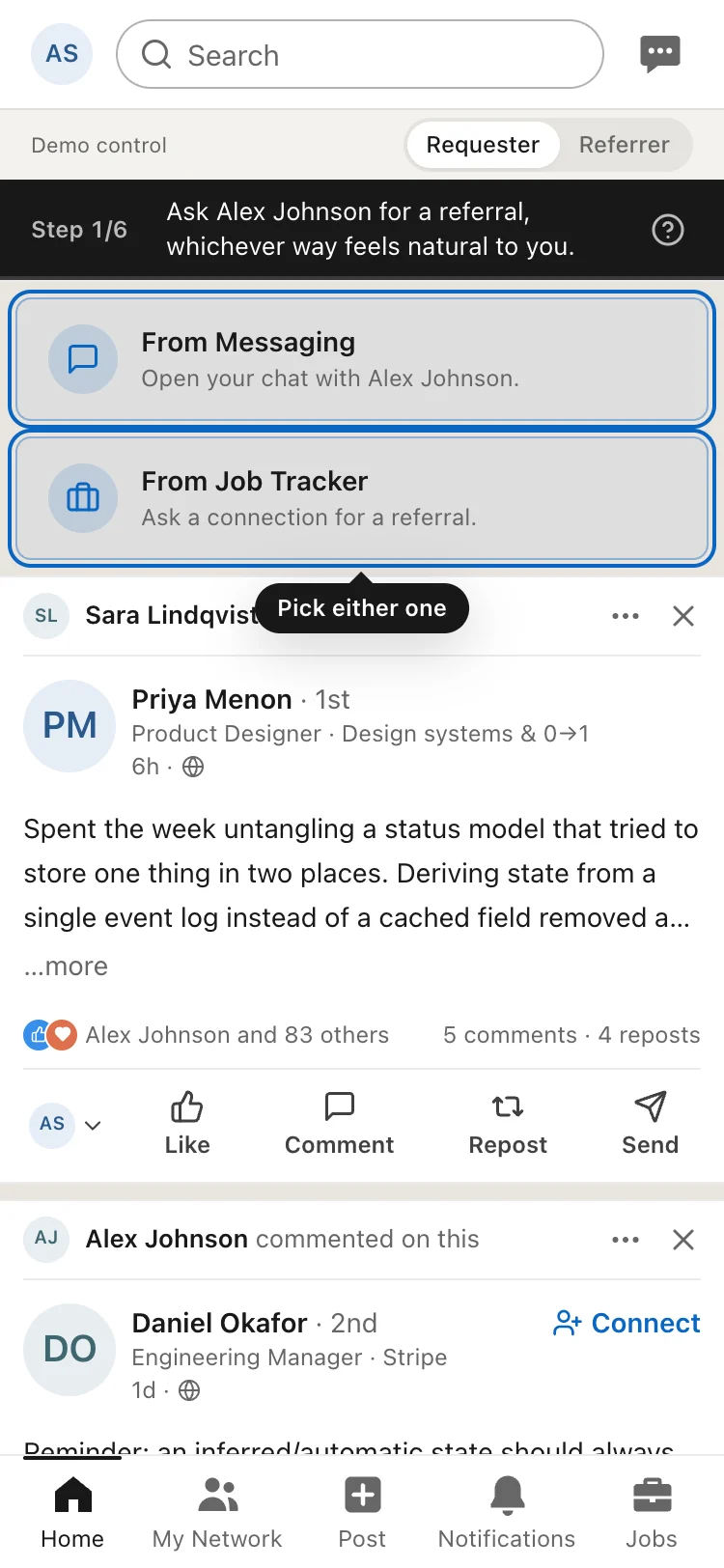
The test also had a flaw. The guide lit up only one way to ask, so early testers all went the same way. Halfway through I lit up both ways and recorded each choice.
The guide bar.
Before. One way lit.
After. Both lit.
Limitations & Honest Caveats
Six interviews show patterns, not proof. Most people were early-career, in India, in design or tech.
Whether real referrers would keep a status up to date is untested.
No reply yet and its seven-day wait are designed, not built.
The status is what the referrer says. It is not pulled from company systems.
What I'd Validate If This Were Real
These are the numbers I would track first.
Proposed metric
What it would tell me
Resolution rate. The share of requests that reach Referred, Can't refer or Withdrawn within 14 days.
Whether asks end in an answer. This is the one number.
Follow-up messages sent on an open request
Whether the status really replaces just following up.
Share of requests that sit at No reply yet
How often referrers don't update.
Guardrail: how often referrers mute or block
Whether the feature feels like pressure.
The open questions are the costs listed under Key Design Changes: the seven-day wait, the missing reminder, false hope, and whether real referrers will set a status for a stranger.
Reflections
Most of the work was deciding who is allowed to say what, and what the product may assume when nobody says anything. A working prototype caught things a mockup would not, like a hug animation that read as romantic. AI helped with background research and with building from my spec. The decisions were mine.
Outcomes & Reflection
6interviews
4test sessions
4/4finished without help
0launch data
That is all there is to count, because this is a concept. The next step is the test this one could not run: real referrers answering real strangers, over real days.